Download Program for creating logos in CS 1.6 — Logo Creator
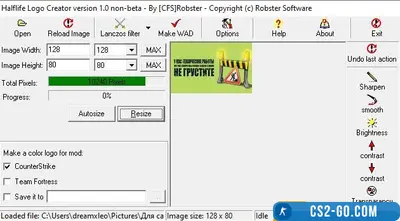
- Logo Creator is a program specifically created for CS 1.6 players that allows you to create your own logos and use them in the game. With this tool, anyone can upload an image, adjust it to the game requirements, and apply it as their personal logo. The program is easy to use and does not require special skills, so even beginners can quickly figure out how to create a unique logo for their profile or team.
- Logo Creator supports various image formats, allowing you to use any images, whether it is a team logo, personal avatar, or just a picture you like. After uploading the image, the program automatically adapts it to the required size and format so the logo displays correctly in the game. This makes the logo creation process as convenient and fast as possible.
- Thanks to Logo Creator, every player can stand out in CS 1.6 by making their profile or team logo noticeable to other players. The program runs stably and does not negatively affect game performance. It supports all versions of CS 1.6 and does not require complex installation or setup.
Instructions for using Logo Creator for CS 1.6
-
Downloading and installing the program First, you need to download Logo Creator from the official website or a trusted source. After downloading, extract the archive to a convenient folder and run the installer. Follow the installation wizard instructions, choose the desired settings, and complete the installation.
-
Launching the program After installation, find the program shortcut on the desktop or in the Start menu. Click it to launch. The program will open in a simple and intuitive interface.
-
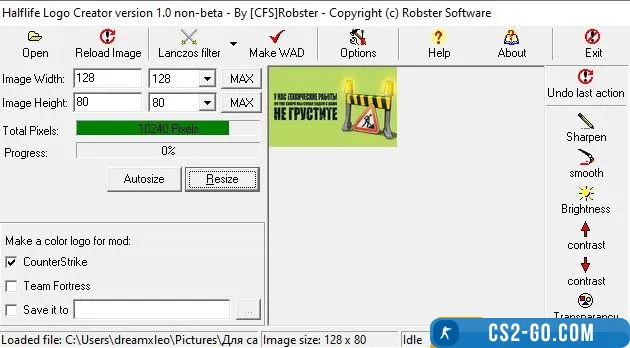
Uploading an image Click the “Upload Image” or “Open Image” button in the main window. Select the picture you want to use as your logo. The program supports PNG, JPEG, BMP, GIF formats. Make sure the selected image has good resolution so your logo is clear.
-
Adjusting the image After uploading the image, the program will offer to adjust it to the required size for correct display in CS 1.6 (usually 96x64 pixels). You can use built-in tools to crop the image, resize it, and adjust brightness and contrast.
-
Converting the logo to game format When you finish adjusting the image, click the “Convert to game format” button. The program will automatically convert your image to the WAD format used in CS 1.6.
-
Saving and installing the logo After conversion, the program will prompt you to save the finished logo. Save the WAD file in the “logos” folder in the CS 1.6 directory (usually cstrike). If the “logos” folder does not exist, create it manually.
-
Applying the logo in the game Open CS 1.6 and go to game settings. Go to “Network Settings” or “Multiplayer settings” and select your logo from the available list. If done correctly, your new logo will appear in the list and you will be able to use it in the game.
-
Testing the logo Join any server and check how your logo looks in the game. Usually logos appear when spraying on walls or other surfaces.
Now you know how to use Logo Creator to create a unique logo in CS 1.6. It is a great way to stand out from other players and add individuality to your game profile.
🎥 Video review of Program for creating logos in CS 1.6 — Logo Creator
![]() |
Program for creating logos in CS 1.6 — Logo Creator has been checked for viruses by our site administration and is completely safe for installation and use on your PC. |
